

- Buzzsprout is recommended by Podcasters from beginners to experts.
- Podcast Hosting made easy!


Buzzsprout Review
The first step for all podcasters is setting up the show. This is when podcasters generally require a lot of help. Buzzsprout also makes moving an existing show to a different host fast and easy. The platform enables podcasters to establish, host, distribute and grow podcasts. The podcast hosting platform is known for exceptional features, competitive prices, key differences from the competition and advanced statistics.
Thats exactly where we are going to start now in this Buzzsprout review.
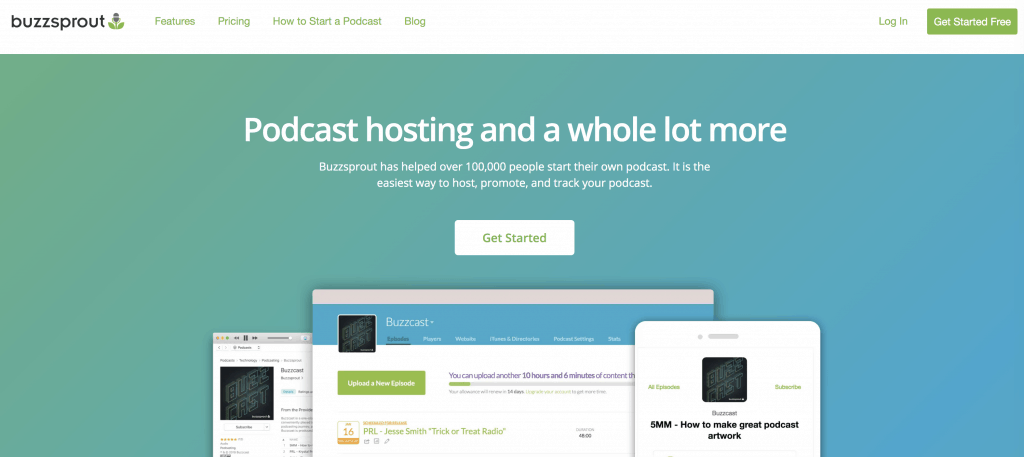
The podcast hosting platform takes podcasts very seriously. Buzzsprout enables the creation of an ideal website to help ensure listeners are able to locate the podcast quickly and efficiently. The appearance of the website can be customized according to the brand. Custom URLs can be created to make it easier for listeners to locate the website, episode details and any existing podcast.
How do you use Buzzsprout
The hardest part for a new podcaster is getting that first episode recorded and published.
Buzzsprout makes it really easy for beginners to get started. If you can create a social media account then you can setup your first podcast.

After signing up for a free plan, you will be asked if its a new podcast or you already have existing episodes to migrate. Buzzsprout offers both options. Buzzsprout lets you enter a podcast title, description and podcast logo. These are straight forward but extremely important for new podcasters to be successful.
If you already have episodes you can head to the recent episodes tab where you will find a list of podcast episode details, popular episodes, dates, analytics, duration, number of plays or specific artwork for each episode. You can also edit the episode description.
Players: More for experienced podcasters who wish to embed the podcast episodes or show on a website.
Website: A nice feature of Buzzsprout is that they automatically create a personal website for you to share.
Directories: Buzzspout makes it as easy as click “get listed” to share your new podcasts. Although your podcast will be hosted on Buzzsprout you need to find a home for your listeners to follow. Apple podcasts, Spotify, Google podcasts, Pandora, stitcher etc. Thats how you grow. Listeners cancan favourite, follow and share your new episode.
See also: Where Does Buzzsprout Publish To?
RSS feed: More for an experienced podcaster. Either way if anyone asks for your RSS feed, it will be automatically generated here.
See also: Where Is My RSS Feed On Buzzsprout?
- Buzzsprout is recommended by Podcasters from beginners to experts.
- Podcast Hosting made easy!
Buzzsprout Features
Buzzsprout is a great platform that provides everything necessary for hosting and distributing a podcast. The platform offers a place for hosting audio files in addition to a compliant RSS feed for submission to podcast directories. Some of the best features offered are detailed below.

- Podcast Hosting: Comprehensive tools to host, promote, and track podcasts.
- Directory Listings: Ensures podcasts are featured in top directories, reaching millions.
- Podcast Statistics: Advanced analytics to understand the audience’s behavior.
- Magic Mastering™: Advanced technology to optimize audio quality.
- Monetization Options: Multiple ways to earn, including subscriber content and ads.
- Episode Optimization: Automated handling of filetypes, bitrates, and tags.
- Dynamic Content Tool: Flexibility to add or remove content segments in episodes.
- Transcriptions: Accessibility enhancements for wider audience reach.
- Podcast Player: Elegant, embeddable player for websites with customization.
- Management Tools: Handle multiple podcasts and teams under one account.
- Learning and Support: Comprehensive guides, videos, and community support.
- Integrations: Seamless compatibility with major podcast tools and direct API access.
- Podcast Website: Customizable website creation tools for podcast branding.
Directories and Distribution
Buzzsprouts has a good distribution section called Directories. All of the popular podcast directories (Apple podcast, Google podcasts etc) the podcaster should be aware of are listed. Complete instructions are included to ensure the podcaster understands how to get into each directory. Since the submission process must always be completed by the podcaster, the directions provided by Buzzsprout are invaluable.
There are platforms emerging able to perform automatic submissions to eliminate some of the work. The issue is most podcasters believe the submissions should be performed personally to make certain control of the account and all of the data is retained on every platform. The manual process may actually be preferable.
It is a very simple and easy process from beginners to connect to your favorite platforms. .
Podcasting Analytics

I use Buzzsprout analytics because it simplifies tracking my podcast’s progress. It gives me a clear picture of my total downloads, the apps people use to listen, and where my listeners are located. The straightforward data helps me understand my audience better, making my podcasting journey more effective and enjoyable.
📊 Discover your audience through podcast statistics.
📈 Track your total downloads over time.
📲 Identify the apps listeners use for your podcast.
🌎 Find out the geographical locations of your listeners.
Statistics Dashboard
The buzzsprout dashboard interface offers a modern appearance, easy access and transparency. A lot of the best hosting platforms for podcasts only offer a standard dashboard. Buzzsprout displays deeper insights than the other dashboards including listeners, plays, the number of downloads and the geographical location.
The difference is in the way Buzzsprout presents the information. The dashboard uses colorful and bright graphics, buttons and charts for displaying information. The design of the dashboard is a lot easier for beginners to grasp.
Why I Use Buzzsprout’s Magic Mastering
Magic Mastering™ on Buzzsprout makes my podcasts sound professional. It’s easy to use, like adding a filter to a photo but for sound. With a few clicks, my podcasts are clear and sound great, saving me a lot of time. It’s one big reason why I like using Buzzsprout for my podcasts.
Monetization With Buzzsprout Options
Automatic Episode Optimization

Video Soundbites
Buzzsprout’s video soundbites allow me to easily create video trailers for episodes, which are great for sharing on social media, at no extra cost.
Chapter Markers
With Buzzsprout’s chapter markers, listeners can navigate through episodes effortlessly, knowing what topics are covered and when, which encourages them to listen to the entire podcast. Adding markers is simple and can be done during the editing process.
Free Website For Your Podcast

Buzzsprout’s free website builder allows podcasters to craft a personalized podcast website, showcasing episodes alongside visual artwork and detailed channel descriptions. The complimentary access includes directory links to popular podcast apps, ensuring a wider reach. Customize the interface to echo your unique branding and host the website on a custom domain URL for a professional touch and straightforward discoverability.
Podcast Player
Podcast Episode Transcription

- Buzzsprout is recommended by Podcasters from beginners to experts.
- Podcast Hosting made easy!
API Integration
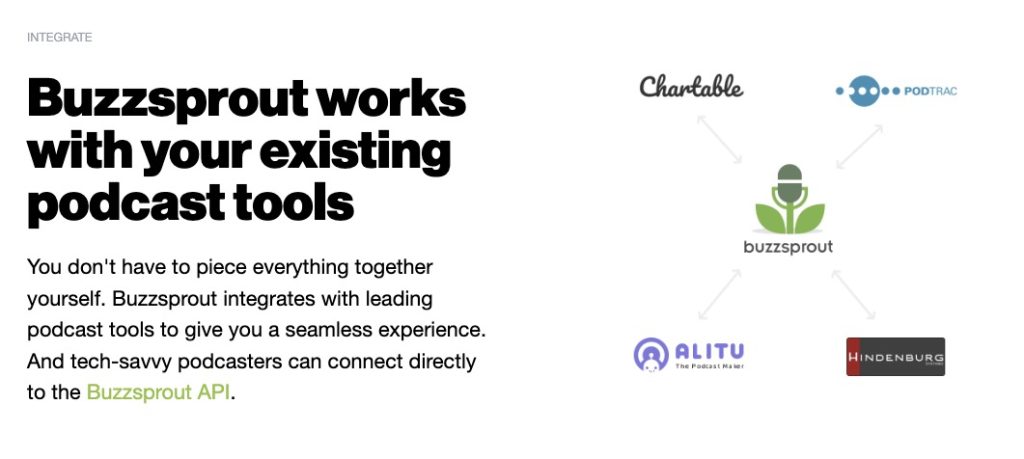
Any podcaster using an editing platform will be excited by the newly released Buzzsprout API. The podcaster is able to directly upload episodes into the Buzzsprout account. The podcaster no longer needs to download and then re-upload all of the episodes. If the platform currently used by the podcaster does not enable API integration, uploading and exporting is still fairly easy.
If the partnerships established between Buzzsprout, Hindenburg and Alitu are smooth, positive feedback is expected. If this happens, Buzzsprout may add additional partners to make publishing to a Buzzsprout account even easier.
➡️ Is Buzzsprout Good for Podcasting?
Cohost AI
Buzzsprout’s new Cohost AI tool streamlines podcasting by auto-generating episode titles, descriptions, chapter markers, and transcripts. It provides five title options, based on podcast content, and drafts editable descriptions for each topic discussed. The tool also generates comprehensive transcripts with speaker details, aiding podcasters to concentrate more on content creation.
Podroll
Podroll, Buzzsprout’s latest feature, revitalizes the early 2000s blogroll concept, allowing podcasters to recommend their favorite shows directly. To use it, Buzzsprout users simply go to ‘Podcast Settings,’ select ‘Podroll,’ and then add their chosen podcasts. This personal touch differentiates these recommendations from algorithm-based suggestions. The curated selections are displayed on the podcaster’s Buzzsprout site, on Podnews, and in Podcasting 2.0-enabled apps, expanding reach and audience engagement.