
When it comes to setting up all of your equipment ready to stream, it can be a daunting process, especially if it’s your first time ever streaming.
A lot of new streamers worry about whether or not the audio quality of their stream is going to be able to compare with that of professional streamers.
But while you might not be able to afford the same expensive equipment as they might be able to, there are still plenty of ways to make sure your microphone for streaming setup sounds good!
So, if you’re looking to start your streaming career, and want to ensure that your microphone’s setup is going to be suitable, then just follow our guide and you should be sure to have the best microphone setup!

|

|

|
|
|
Primary Rating:
4.6
|
Primary Rating:
4.7
|
Primary Rating:
4.4
|
Primary Rating:
4.6
|
|
$79.50
|
$99.00
|
$129.99
|
$310.00
|

Before You Start
Before we begin looking at how to enhance your microphone’s setup, you should also ensure that the rest of your streaming setup is good.
You should ensure that you have a decent quality HD webcam, as well as a good lighting setup and most importantly, that you stream in a place that doesn’t have a large amount of background noise and is free from any interference, as this will allow you to focus on your stream without worrying that you’re going to be interrupted.
You should also ensure that your PC is able to withstand the demands of streaming, and also that you have a suitable gameplay recording software installed that you have tried and tested before you stream.
This is to ensure that when you begin your first stream you have as few problems as possible and that your content is of a good enough quality for people to watch, which will help you to retain viewers!
Picking A Microphone
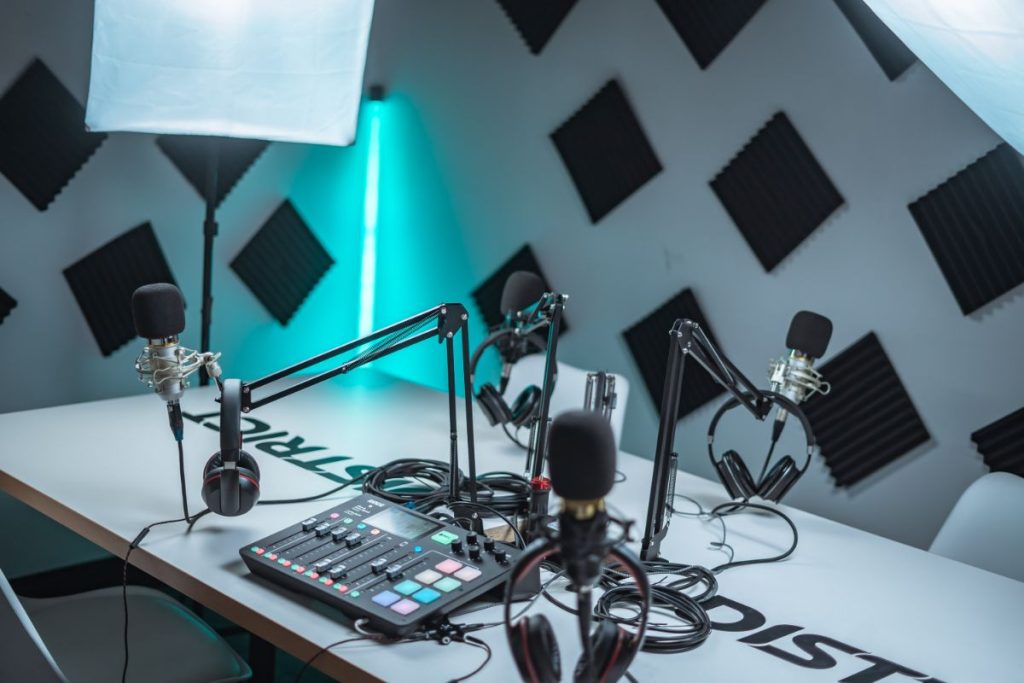
The place to start with any good microphone setup is to ensure that the microphone you have is going to be suitable for streaming (also see, ‘Best Microphone For Streaming‘).
If you use a low-quality microphone then there’s a good chance that even if the rest of your stream is perfect, the bad audio quality will deter people from watching your stream for a prolonged period of time, so it’s important to get it right!
Even if you’re not clued up about microphones, don’t worry, as we’ll give you a short guide on how to pick the one that’s best for you and your stream.
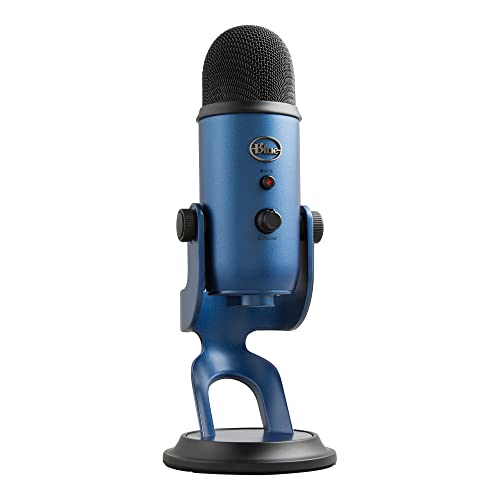
Typically, most streamers will opt for a USB microphone, as it’s fairly easy to connect them to your PC and will still provide a decent level of audio quality. USB microphones also offer more flexibility when it comes to controlling your sound (also see, ‘Best USB Podcasting Mics’).
A USB mic, such as a Blue Yeti USB mic, might be the best choice for most streamers, but if you’re looking for something a bit more professional, or want to achieve studio-level sound quality, then you should look into using an audio interface (also see, ‘Blue Yeti USB Microphone Review‘).
If you’re striving for the best audio quality, then you’ll want to opt for a microphone with an XLR cable, as this will provide much better sound quality.
The downside to XLR mics however is that they are much more expensive than USB mics, so if you’re an amateur streamer on a budget, there’s a good chance they’ll be out of your price range.
You will also need an audio interface with an XLR mic, such as the Focusrite Scarlett 2i2 or similar. Audio interfaces are not essential for st